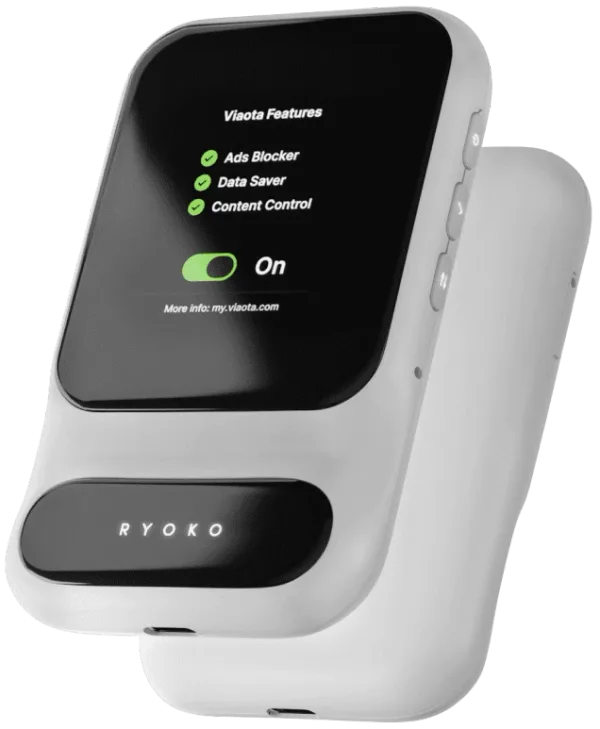
A pocket modem is not your phone's hotspot
The buyer choice is a second box with its own modem and bill, or the hotspot toggle already on your phone. Ryoko Pro is only useful where that second box beats the toggle. Muama’s Ryoko Pro is a palm-sized 4G LTE router with a SIM inside. Press power. The listing says it finds a local tower on its own, then broadcasts a private WPA2 network. You scan a QR code on the unit or pick the SSID in WiFi settings. The phone in your pocket is a client, not the radio doing the tethering.
A phone hotspot is already paid for if your carrier includes it. It also drains the handset you still need for calls. The separate box earns its keep when battery, device count, or roaming cost is the bottleneck — not when you travel twice a year and the phone already covers it. Tethering also ties every laptop to that one phone. If the phone goes into airplane mode for a movie, the table loses the network. A pocket router can stay on in a bag.
Muama is the brand name on the listing family. Ryoko Pro is the SKU this review titles. If a later ad uses only one of those words, look at the hardware: 4G LTE, SIM, battery, WPA2, up to 10 clients. Those nouns are the product. A lifestyle video of a café is not.

| Radio | 4G LTE, auto-connect to local towers (per listing) |
|---|---|
| Clients | Up to 10 at once; they share one allowance |
| Headline speed | Up to 150 Mbps — a ceiling, not a promise |
| Battery | Up to 8 hours of continuous use, USB-C fast charge |
| Security named | WPA2 plus a built-in ad blocker; not described as a VPN |
| Included data | 500 MB preloaded |
| Return window named | 30 days |
QR join is a convenience, not a security audit. Anyone who can see the QR while the unit is on can join unless you have changed defaults. Treat the box like a home router you packed: change what the manufacturer lets you change, do not loan it unlocked on a train tray table, and do not assume a café cannot see a default SSID. This page does not have a screenshot of the admin screen because the listing we used did not publish one we could quote.
4G LTE is a generation of cellular radio. It is not 5G, and this review will not upgrade the spec. If a later listing adds 5G, that would be a different radio sentence. Until then, destinations with only 3G leftovers or with 5G-only marketing and weak LTE still need a coverage check. The box cannot create a tower.
150+ countries with no country list on the page
The coverage line is 150+ countries. The device does not carry its own network. It rides local 4G LTE. No tower means no WiFi. The listing itself flags zero-coverage areas as a poor fit. “Up to 150 Mbps” is a ceiling; the same page notes real speed follows the local signal.

The country names are not on the page. Plan prices abroad are not either. Confirm the destination with the manufacturer before a trip that depends on this box. Skipping a carrier’s roaming fee is the draw. Whether the prepaid plan is actually cheaper depends on that carrier — do the math against the rates below, not against a slogan.
Rural stretches, islands, cruise tenders, and mountain towns are where “150+” earns its asterisk. A capital-city hotel may have fine LTE and also have Ethernet. A national park may have neither. This review will not invent a coverage map. Email the manufacturer with dates and places. Keep the reply with your tickets. If the reply is a marketing PDF without your country in a table, you still do not have a list.
Airports and underground platforms vary. A pocket router in a bag under a bus may hunt. Hunting drains the 8-hour claim faster, which the listing already flags as runtime shrinking with a weak signal. Hold the unit where a phone would find bars if you need the radio to work. A Faraday-ish backpack pocket is a bad cradle.
Local law on radio devices is the traveler’s job. Some countries want you to register SIMs. Some ban certain bands. This site is not a customs broker. If you cannot import a radio, you cannot use this product there, 150+ or not.
Eight hours, ten clients, one prepaid allowance
Two numbers size the hardware: up to 8 hours of continuous use, and up to 10 devices. The listing says runtime shrinks with a weak signal and with more clients. A car of streaming tablets will empty the cell faster than one laptop on mail. Video calls chew the 5 GB tier. Pack the USB-C cable if the day plus a commute might outlast the rating.

“Up to 8 hours” is a ceiling like “up to 150 Mbps.” Continuous use is the condition. Standby in a pocket is not the same sentence, and the listing we recorded did not publish a standby number we can quote. Charge overnight. Carry a small USB-C brick. Airplane seat USB can be slow or absent. None of that is a Ryoko defect. It is travel.
Ten clients is a conference-table number. It is not ten independent data plans. Shared allowance means one person’s 4K stream is everyone’s empty tank. Set expectations in the group chat before you land. A family that already fights over a hotel password will also fight over 5 GB. The Unlimited line still has no published fair-use cap on the page we read, which is its own section below.
USB-C fast charge is named without minutes-to-full. This review will not invent a 0-to-80 time. If you have a 20-minute connection, you may get 20 minutes of charge, not a full cell. Power banks that speak USB-C are ordinary travel kit. The listing does not include one in the excerpt we used.
Stay on the phone hotspot if
- Your destinations have no 4G LTE, or you have not confirmed they sit on the unnamed 150+ list.
- Your carrier’s hotspot allowance already covers the trip and the phone battery is not the limit.
- You need home-broadband duty or a stated fair-use policy on “Unlimited.” The listing does not publish a cap.
- You refuse a second monthly bill on top of hardware.
Hardware at $49.95, then a data bill on top
This is two charges. The router is one. Prepaid data is the other. Totals below are what the manufacturer’s listing showed at this review’s last pass.
Device plus plan, as that page billed it
With a 5 GB, 10 GB, or Unlimited plan, the device was $49.95 (shown against $166.50). Six-month rates: $5.99, $7.95, $9.95 a month — $35.94, $47.70, $59.70 for the first half-year. First-period totals with the hardware: $85.89, $97.65, $109.65. Month-to-month rates: $19.99, $26.50, $33.17. First-month totals with the hardware: $69.94, $76.45, $83.12. Taking only the free 500 MB billed the device at $166.50 — $116.55 more than pairing it with the 5 GB plan.
The discounted six-month rate is described as applying “for the first 6 months.” The page does not say what it bills after that. Top-up prices, unused-data rollover, and cancel steps are also missing. The 30-day money-back line does not say who pays return freight or whether a prepaid plan is refunded with the box. Ask those in writing before you post a return. A 30-day window covers a trip you already booked, not one months out.
Hardware at $49.95 is the number that looks like a gadget impulse. The real commitment is the plan. Month-to-month 5 GB at $19.99 is already in the range of many carrier add-ons. Six-month 5 GB at $5.99 looks cheaper and is silent after month six. Do not treat silence as $5.99 forever. Treat it as unknown. Unknown is a budget risk.
The $166.50 hardware-only path is a lesson in bundling: the listing charges more for the box if you refuse a plan. That is a pricing structure, not a trick this site invented. If you wanted a one-time radio to use with some other SIM, look at whether this device even allows another SIM. The listing we recorded describes its own prepaid data. It does not describe a bring-your-own-SIM hobby. This review will not promise a SIM slot you can restock at a kiosk unless the manufacturer says so — and the page we used did not.
WPA2, the ad-blocker line, and what is not a VPN
WPA2 is a Wi-Fi encryption standard. CISA’s public note on securing wireless networks still treats a password-protected personal network as a baseline over open café Wi-Fi. Ryoko Pro’s listing names WPA2. That is a private bubble compared with a coffee-shop login page. It is not a company VPN, not a no-logs policy, and not a way to hide from a hotel chain’s terms.
The ad blocker is listed as filtering malicious and phishing sites. The page does not say how that filter decides. Blacklists go stale. False positives happen. If a bank site fails, the filter is a suspect. This review cannot audit the filter. It can only repeat that the listing does not call the product a VPN. Do not skip a real VPN if your threat model needed one. Do not skip HTTPS. A pocket router is a radio, not an ethics department.
Shared hotel Wi-Fi has two problems: performance and snooping on open or badly segmented networks. A pocket LTE box avoids the hotel uplink when LTE is strong. When LTE is weak, the hotel uplink might be faster. That is a local choice, not a slogan. Carry both options in your head. The box does not make the hotel evil. It makes a second path.
Default passwords on travel routers are a known class of mistake across the industry. Change what you can. Do not publish the SSID on social media with a photo of the QR. That is ordinary hygiene. The listing’s QR convenience is for you, not for the train car.
500 MB preloaded and the first-six-months discount
500 MB is a landing cushion, not a week of maps and video. A single software update can eat it. Use hotel Wi-Fi or a phone plan to update the laptop before you depend on the 500 MB. Then keep the cushion for maps, messages, and the first tower handshake. This is not a manufacturer step list. It is arithmetic about 500 MB.
First-six-months pricing is a launch discount pattern. Month seven is the sentence the page skipped. Write support and ask for the renewal rate in a number. If they will not give a number, budget the month-to-month column ($19.99 / $26.50 / $33.17) as the pessimistic case. Pessimism is cheaper than surprise.
No long-term contract is named. That is good if cancel actually cancels. Cancel steps are not on the page. Screenshot the live terms. Ask how to cancel in the same email that asks about coverage. Keep both answers. A 30-day hardware return and a prepaid plan may be two different desks. Confirm they talk to each other.
Rollover of unused gigabytes is not described. Assume unused data dies at the period boundary unless you get that in writing. Travelers who buy 10 GB for a 10-day trip and then stay home week two should not count on a souvenir balance.
Roaming fees and a prepaid pocket router
U.S. carriers sell international roaming by the day, by the pass, and by the horror-story megabyte. The FCC’s wireless roaming guide is the consumer-facing document for how roaming can bill. A pocket router with prepaid data is one way to take that bill off the phone SIM. An eSIM from a travel brand is another. A local SIM is a third. Ryoko Pro is only the first of those, and only if the unnamed 150+ list includes your places.
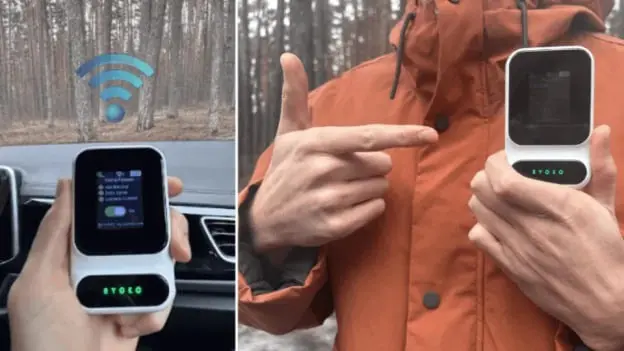
Phone hotspot plus a roaming pass can be enough for one person who already has a fat domestic hotspot bucket. Add three kids’ tablets and a laptop standup, and the phone becomes a battery with a fan. The second radio earns its $49.95 hardware line in that group — if LTE is there, if 8 hours is enough, if 5 or 10 GB is enough, if Unlimited’s unpublished cap does not surprise you.
Do the arithmetic against your carrier’s daily roam pass before you buy a second ecosystem. If the pass is $10 a day for two weeks, that is a number. If Ryoko’s six-month 10 GB is $47.70 plus $49.95 hardware, that is another number. This review will not declare a winner, because destinations, group size, and whether you already own a roam pass are your facts. It will insist both numbers exist.
Emergency calling still wants a phone on a network that can reach 911 or the local equivalent. A pocket Wi-Fi box is not a substitute for a working handset. Keep the phone on. Use the box for the laptop. That split is how you do not discover a radio limitation during a bad hour.
Fair-use silence on the Unlimited line
Unlimited as a marketing word in mobile data usually hides a fair-use policy, a speed step-down, or a video throttle. The Ryoko listing does not publish a cap. That silence can mean there is no cap, or it can mean the cap is elsewhere. This review will not guess. If Unlimited is the SKU you would pick, ask for the policy in writing. If the answer is a shrug, pick 5 GB or 10 GB and count, or pick a competitor that prints a number.
Home-broadband duty — work-from-Airbnb for a month of video calls — is the use that burns mystery Unlimited. Ten clients and 8 hours already say this is a travel radio, not a replacement for a cable modem. The skip-box said that. This section says why the word Unlimited does not overturn it.
Tethering a smart TV for a movie night in a rental is a gigabyte hobby. Check the plan. 5 GB is a short movie in some encodings and a disaster in others. 10 GB is more. Mystery Unlimited is a gamble. This page does not have Ryoko’s encoding bitrate. It has GB labels. Use them as labels, not as cinema.
eSIM cards, local SIMs, and a box that is neither
Travelers today can load an eSIM onto a phone in an airport line. They can also buy a local SIM with a passport in some countries. Ryoko Pro is a third path: a dedicated pocket router with prepaid data the listing bills on top of hardware. It is not an eSIM profile you screenshot. It is not a tray you pop with a paperclip, on the page we recorded. If you already live in eSIM world and your phone hotspot is fine, the box is a second ecosystem. Second ecosystems want a reason.
The reason, when it exists, is device count and battery. An eSIM on one phone still tethers from that phone. A local SIM in one phone is the same shape. Ten clients at a table want either many SIMs or one radio that speaks Wi-Fi. Ryoko’s listing is the one-radio shape: up to 10 clients, one allowance, up to 8 hours. That is a coherent shape. It is still a shape that needs 4G LTE at the table.
Local SIMs can be cheaper per gigabyte in a long stay. They can also be a bureaucratic afternoon. A prepaid pocket router is trying to sell you out of that afternoon. Whether the six-month $5.99 / $7.95 / $9.95 rates beat a shop in Tokyo or Lisbon is a local question this page cannot answer, because those shop prices are not on the Ryoko listing. Do the homework for the city. Do not let “150+” replace the homework.
Phone-carrier roam passes are a fourth path, already named. eSIM is a fifth. The box is a sixth. This review will not rank them as a scoreboard. It will keep Ryoko in the pocket-router column with a hardware bill and a data bill. If that column is the one you wanted, the 4.4 is about how clearly the listing describes it. If you wanted an eSIM, you are in the wrong aisle.
Dual-SIM phones blur the aisle. A traveler can keep a home number and an eSIM data line in one handset and still hotspot. The pocket router then has to beat that handset on battery and on client count. Sometimes it will. Sometimes it will not. The listing cannot know your phone. You can.
Radio bands the listing did not print
LTE networks use numbered bands that differ by country. A router that misses a local band will idle even when a phone on a different chipset shows bars. The Ryoko listing we recorded did not print a band table. This review will not invent one. If your trip depends on the box, ask the manufacturer which bands the radio speaks, then check a public band list for the destination. That is the adult version of “150+ countries.”
VoLTE, 5G NSA, and CDMA sunset are extra words a travel-radio listing can skip. Skipping them is easier than supporting them. Ryoko is named as 4G LTE. Voice is still your phone’s job. The box is data. If you expected to place calls through the router, the listing did not describe that as a telephone. It described Wi-Fi for clients.
APN settings are the quiet software that makes a SIM talk to a network. Consumer travel routers sometimes hide APN behind “auto.” Auto is fine until it is not. The listing says the device finds a local tower on its own. If a future trip fails, APN is a support question for support, not a paragraph this page can fake. Write them. Do not reset the box in an alley without a charge cable.
IMEI registration in some countries is a customs or police topic. A dedicated router has an IMEI. If you cannot register it, you cannot use it. This is rare for short tourism and real for some longer stays. Again: the manufacturer’s coverage reply should mention it if it matters. If they will not talk about your country by name, you still do not have a list.
Antenna gain, TS-9 ports, and external antennas are hobby-router culture. The listing we used did not name an external antenna jack. Do not assume a port you cannot see in the product photos. The photos we reuse are the device, the QR join, the travel scene, and a remote-use shot. None of them caption a connector this review will invent.
Hotel login pages and a private SSID in a backpack
Hotel Wi-Fi often throws a captive portal: a page that demands a room number before packets flow. Laptops handle that with a browser. Some smart TVs and game machines do not. A pocket LTE router skips the portal when LTE is good. That skip is a real comfort for a Nintendo, a work laptop with a strict VPN, or a kid’s tablet that cannot type a room number. It is the listing’s private WPA2 network doing the job a hotel SSID would have done.
When LTE is bad, the hotel portal might still be the faster pipe. Carry both. This is not indecision. It is two paths. The 4.4 assumed you would confirm LTE. Confirmation can mean: on arrival, see whether the box finds a tower before you fight the portal. If it does not, you still have the lobby password. You have not failed. The radio has told you the truth the unnamed 150+ list would not.
Conference centers with a thousand phones on one SSID are a congestion story. LTE can be congested too — a stadium, a New Year square. Neither path is magic. The pocket box’s advantage is a smaller client group (your ten) rather than the whole ballroom. That advantage dies if the cell sector is exhausted. Try. Time-box the try. Go to the portal if the try is sad.
Open café Wi-Fi is the CISA-flavored reason to prefer WPA2 of your own. Prefer it. Still use HTTPS. Still use a real VPN if you needed one at home. The ad-blocker line on the listing is not that VPN. Repeating that is tedious and necessary. Travel is where people relax rules they would not relax on a work desktop.
Cruise ships and airplanes are special radios. A pocket LTE router will not talk to a tower in the Atlantic. Do not buy this box for a crossing. Buy it for land with LTE. The listing’s travel photography is a landing, not a wake.
A lithium cell in a cabin bag, not in the hold
Pocket routers contain lithium-ion packs. Airline rules generally want spare lithium batteries in carry-on, not checked baggage. The device itself usually rides in the cabin too. Confirm the current TSA and your airline’s page before you pack; rules get footnotes. This review is not a TSA manual. It is a note that an 8-hour USB-C gadget is a battery, and batteries have a seat assignment.
Do not pack the charged box in a checked bag “to save space.” Do not tape over a damaged pack. If the unit swells, stop using it. Those are lithium-pack common sense across brands. The listing did not publish watt-hours. If a check-in agent asks, you may need a number from the manufacturer. Ask before a long-haul, not at the desk.
USB-C charging on an airplane is a lottery. Some seats have it. Some have it and it is 5 watts of sadness. A small brick in the cabin bag is the backup. The listing names USB-C fast charge without a watt number we can quote. Bring a brick you already trust. Do not buy a mystery charger at a gift shop as the plan.
Heat in a parked car kills packs. Do not leave the router on a dash. Cold in a ski-bag delays the chemistry. Warm it in a pocket before you need the 8 hours. These are cell behaviors, not Ryoko-specific tests. They still decide whether “up to 8 hours” is a day or an afternoon.
Dispose of a dead pack at a battery drop-off, not in a hotel bin if you can avoid it. Travel gadgets die abroad. A swollen pack in a suitcase is a bad souvenir. The 30-day window will not save a pack you crushed in month four. Treat the hardware as a consumable radio with a battery inside, not as heirloom hi-fi.
Five gigabytes split ten ways is still five gigabytes
The 5 GB plan is a pile, not a per-device pile. Ten clients sharing 5 GB is 500 MB each if they are equal, which they will not be. One 4K stream is a glutton. Maps offline help. Cloud photo backup on cellular is how a 5 GB plan dies before lunch. Turn that off. This is not a manufacturer setting we documented. It is how phones behave when they see Wi-Fi that is actually LTE.
10 GB is the middle SKU on the listing. It is still a pile. A week of mail, maps, and light browsing for two people can fit. A week of video school for three kids may not. Unlimited is the SKU with no printed cap, which this review already refused to invent. If the group is a video group, ask for the cap in writing or pick another path.
Hardware at $49.95 with the 5 GB six-month bundle totaled $85.89 on the page we recorded for the first period. That is the cheapest entry into a shared radio if LTE is there. It is not cheap if the pile is empty on day two and you cannot find a top-up price on the listing — because the listing did not print top-up prices. Ask. Screenshot. Budget a backup eSIM anyway.
Month-to-month 5 GB at $19.99 plus $49.95 hardware is $69.94 the first month. That can beat a roam pass or lose to one. Two weeks in the EU on a carrier pass at $10 a day is $140, which is a different shape: all on the phone, no second battery, no ten clients. The pocket router is for the table. The pass is for the pocket. Pick the piece of furniture you are actually using.
500 MB preloaded is a handshake, not a group plan. Do not demo TikTok on it in the airport as a family activity. Save it to see whether a tower exists. If the tower exists, buy the plan you meant to buy. If it does not, you learned that in 500 MB or less, and the 30-day window is then a hardware question, not a data question — ask whether unused prepaid is refundable, because the listing did not say.
Month seven is a line you have to write yourself
The listing describes a discount for the first six months at $5.99, $7.95, and $9.95. It does not describe month seven. That is not a small omission. It is the difference between a travel gadget and a subscription you cannot price. Write the manufacturer. Ask for the renewal number in currency, not in “stay tuned.” If the answer is the month-to-month column ($19.99, $26.50, $33.17), budget that. If the answer is silence, budget that column anyway. Silence is not $5.99.
Cancel steps missing from the page are the twin omission. A prepaid product with no long-term contract is only as flexible as the cancel button you can find. Screenshot the terms on the day you pay. Ask, in the same coverage email, “How do I cancel, and does unused data refund with a 30-day hardware return?” Those are not hostile questions. They are the questions the listing left blank. The 4.4 already docks for that blank. Your email is how you decide whether the blank is survivable.
Auto-renew is how travel SIMs become ghost bills. If the checkout has a box already ticked, untick it or calendar a reminder at day 160. This review cannot see your live checkout’s checkboxes from here. It can tell you to look. Hardware at $49.95 is the one-time lure. Data is the repeating line. Treat them as two SKUs even when the cart is one.
If you only need the box for a two-week trip, the six-month bundle can be the wrong shape even at $5.99. Month-to-month plus hardware might match the trip better, or an eSIM might. The listing’s cheapest story is a half-year story. Do not buy a half year because the unit price looks small. Buy the period you will be in LTE countries you have confirmed.
Unused data rollover is still not described. Assume it dies. Spend the pile on the trip, not on a souvenir balance. If rollover later appears in writing, you can relax. Until then, pessimism is the adult setting.
The handset you still need for calls is the battery you should not empty
Phone hotspot is a second radio inside a device that also does maps, boarding passes, and a call to a driver. Emptying that battery in a foreign city is a worse failure than a slow laptop. A pocket router exists to take the hotspot load off that handset. Up to 8 hours on the box, USB-C to refill it, phone in a pocket on a low-power LTE connection of its own — that is the split that makes the $49.95 hardware line make sense.
If your phone already lasts the day with hotspot off, and you only need mail, you may not need the split. If your phone is a two-year-old battery that dies at 3 p.m. even without hotspot, the split is the product. The listing cannot know which phone you hold. You can weigh 8 hours of box versus 8 hours of handset fan.
Calls over Wi-Fi, iMessage, and WhatsApp will ride the box if the phone is a client. Cellular 911 may still want the phone’s own SIM on a network. Keep the phone’s radio on. Do not airplane-mode the handset just because the laptop is on Ryoko. Emergency calling is the reason. The FCC roaming guide is about bills; emergency service is about a tower that can hear you. Two radios can be complementary. They can also both be off if you are careless. Do not be.
Power banks that charge a phone can also charge a USB-C router. One bank, two hungry devices, a long train: count watts roughly even without a published Wh on the listing. Charge overnight. Do not start a rural day at 20 percent on both. The 8-hour ceiling assumes a full cell. A half cell is a half day, maybe less if the signal is weak, which the listing already said shrinks runtime.
Hot phones throttle. Hot routers throttle. A bag in the sun is a throttle chamber. Vent the box. The travel photos show it in a hand, not in a sealed pouch against a black nylon oven. Follow the photo more than a packing cube.
A work VPN still wants a real network, not a café login
Corporate VPNs hate captive portals, broken NAT, and CGNAT surprises. A pocket LTE router is often a cleaner NAT for a single traveler than a hotel’s overloaded gateway. That is a reason IT-adjacent people buy these boxes. It is not a reason this review can promise your particular VPN will love this particular radio. Test before a client meeting, not during. The 500 MB cushion can be that test if you land early.
Split tunneling, always-on VPN, and certificate pinning are your laptop’s business. The router’s business is WPA2 and a tower. If the VPN fails, the failure may be MTU, or a carrier that blocks a port, or a tower that is actually fine. Support for Ryoko can speak to the radio. Support for your employer can speak to the VPN. This publication speaks to neither in a live session. We can say: private SSID beats an open café for the first hop, and a VPN is still the second hop if your job required one at home.
Video standups at 10 clients on one 5 GB pile are how work trips empty a plan. Mute cameras if the pile is small. Use the hotel Ethernet for the laptop if the tower is sad. The box is a path, not a contract with your calendar. The Unlimited SKU’s missing fair-use line is a problem specifically for work-from-Airbnb weeks. Ask. If they will not print a cap, do not schedule a month of calls on a shrug.
Two-factor tokens that need SMS still need the phone number. The pocket router will not catch SMS. Keep the handset on. If your 2FA is an app, the box can carry that app’s packets. Know which 2FA you have before you land in a place with a tired phone and a fresh router.
Public records, HIPAA, and client confidentiality are your profession’s rules. A travel router with an ad-blocker sentence is not a compliance program. The listing did not sell one. Do not file this 4.4 as a security audit. File it as a hardware-and-plan review with a WPA2 line.
Write the country names before you pack the QR code
The entire 4.4 collapses if the unnamed 150+ list does not include your Tuesday. Send the manufacturer a list: city, dates, whether you leave the metro. Ask for a yes or no per country, not a brochure. Save the reply next to the ticket. If the reply is a marketing PDF without your names, you still do not have coverage. Buy an eSIM or a roam pass as if the box might fail. The box can still be the pleasant path when LTE is there. It should not be the only path when the page would not print a table.
Border regions and rural provinces are where “the country is on a list” still fails. A capital yes does not mean a coast yes. If your itinerary is the coast, say the coast. If you will be on a train between two yeses, say the train. Towers do not care about your rail pass. The listing already flagged zero-coverage areas as a poor fit. Your email is how you find out whether you bought one.
The 30-day window and a trip months out still do not match. If you must order early to have hardware in hand, ask whether you can delay activation, and whether the 500 MB starts at ship or at first radio. Those timestamps are not on the page we recorded. They decide whether the cushion is still there when you land. Ask.
If two adults share the box, agree who carries the USB-C cable. The 8-hour rating plus a forgotten cable is a 8-hour day that becomes a 0-hour evening. Trivial. Decisive. Put the cable in the same pouch as the router, not in a second suitcase that a low-cost carrier then loses.
When the trip is over, cancel if you do not want month seven’s unknown rate. That sentence is the whole reason the discount section exists. Hardware can sit in a drawer. Data should not quietly renew into a number you never saw. The 4.4 is generous on the radio. It is not generous on the blanks. You have to fill the blanks or they fill your statement.
What 4.4 covers on this travel router
We give Ryoko Pro 4.4 / 5. A separate modem spares the phone battery, takes up to 10 clients, and keeps you off a shared hotel login. Hardware at $49.95 with data from $5.99 a month on a six-month bundle is a coherent entry cost — if the places you go have 4G LTE.
Points come off for an unnamed country list, a first-six-months discount with no later rate, and return terms that ignore prepaid data. Confirm coverage first. If the phone hotspot already does the job, this is a second bill. The methodology page is document research, not a drive-test of 150 countries.
The 4.4 is a hardware-and-pricing-structure score. It is not a speed-test score. It is not a coverage-map score. Readers who need those scores need a different kind of source than a listing. Ask the manufacturer for the country list. Ask for month-seven pricing. Then the 4.4 either still fits your trip or it does not.
Travel-radio questions before you pack the box
Answers follow the listing’s radio and plan table, the 30-day window as named, and public FCC roaming and CISA Wi-Fi notes. They do not add a country table the page did not print.
No. It is a separate pocket router with its own 4G LTE modem, SIM, and battery. Your phone joins it like any other WiFi network. Tethering on a phone uses that phone’s battery and that carrier’s hotspot allowance. The FCC’s consumer page on wireless roaming is the public explainer for why a second radio can be a different bill from your home SIM.
The device ships with 500 MB preloaded. After that, the listing describes prepaid top-ups with no long-term contract. Top-up prices, rollover, and how monthly billing is cancelled are not on the page. The 6-month discount is described as applying for the first 6 months; the later rate is not stated.
With a 5 GB, 10 GB, or Unlimited plan, the listing billed the device at $49.95. Choosing only the free 500 MB option billed the device at $166.50. Six-month plan rates on that page were $5.99, $7.95, and $9.95 a month. Monthly rates were $19.99, $26.50, and $33.17.
The listing does not name them. Confirm the destination with the manufacturer before a trip that depends on this box. No 4G LTE tower means no WiFi. The listing itself flags zero-coverage areas as a poor fit. This review will not invent a country table.
Up to 8 hours of continuous use, USB-C fast charge, and up to 10 clients that share one allowance. The listing says runtime shrinks with a weak signal and with more clients. Pack the cable if the day plus a commute might outlast the rating.
No. Security named on the listing is WPA2 plus a built-in ad blocker. The page does not say how that filter decides, and it does not call the product a VPN. CISA’s note on securing wireless networks is the public WPA2 explainer. A private SSID is not the same as making every site safe.
A ceiling, not a promise. The same listing notes real speed follows the local signal. 4G LTE performance is a tower and congestion story. This review does not publish a speed-test log because this publication did not run one.
A 30-day money-back line does not say who pays return freight or whether a prepaid plan is refunded with the box. Ask those in writing before you post a return. A 30-day window covers a trip you already booked, not one months out.
The listing does not publish a fair-use cap. If you need home-broadband duty or a stated policy on Unlimited, the page we read does not give it. Ask the manufacturer in writing. This review will not invent a gigabyte ceiling.
No. Up to 10 devices share one allowance. A car of streaming tablets will empty a 5 GB tier faster than one laptop on mail. Video calls chew the same pile. Plan the GB count for the group, not per screen.